
Crawl4AI
Connect the agent service to Crawl4AI.
Before you begin
An account with access to the provider and permission to edit the settings below in Kernlift.
Expected result — a service connection the agent can use for a task.
Set up Crawl4AI
Start the API service
Open Crawl4AI. Deploy the Crawl4AI Docker API service.
Check the crawl result
Crawl a public test page using its API and confirm the response contains page content.
Provider documentation · self-hosting guide
Configure the application
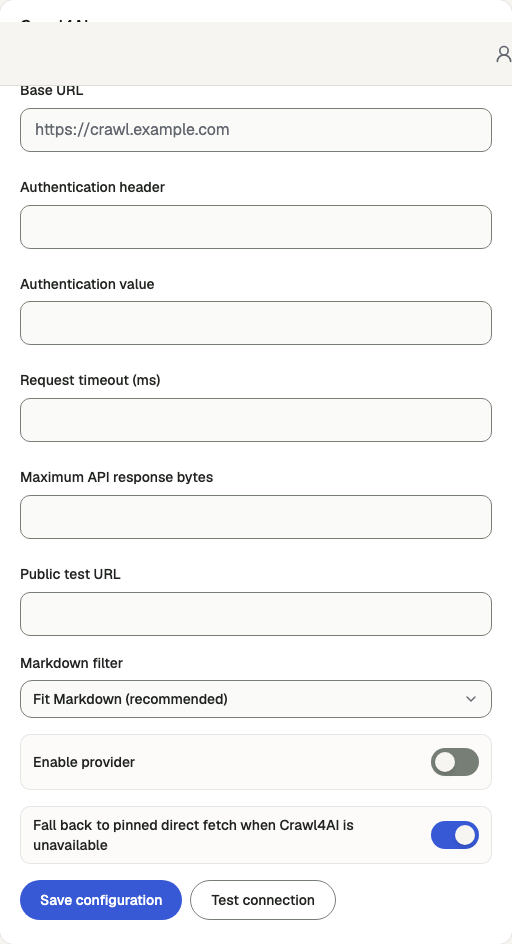
Open /admin/config/search in the Kernlift admin console.
| Value from provider | Admin field |
|---|---|
| Service URL | Base URL |
Enable the service, enter the connection details and save.
Verify
- Use Test connection from the service panel.
- Run a search or extraction and inspect the returned content.
Troubleshooting
Connection failed
Test the configured URL from the agent service host. Match any proxy authorization header with the value saved in admin.