
Resend
Send transactional email with Resend.
Before you begin
An account with access to the provider and permission to edit the settings below in Kernlift.
Expected result — a test message in your inbox and its delivery log.
Set up Resend
Add the sending domain
Open Resend. Add the domain used in your From address.
Verify its DNS records
Publish the DNS records Resend shows and wait for Verified.
Create a sending key
Create a Sending access key for that domain under API Keys.
Provider documentation · domain verification · API key permissions
Configure the application
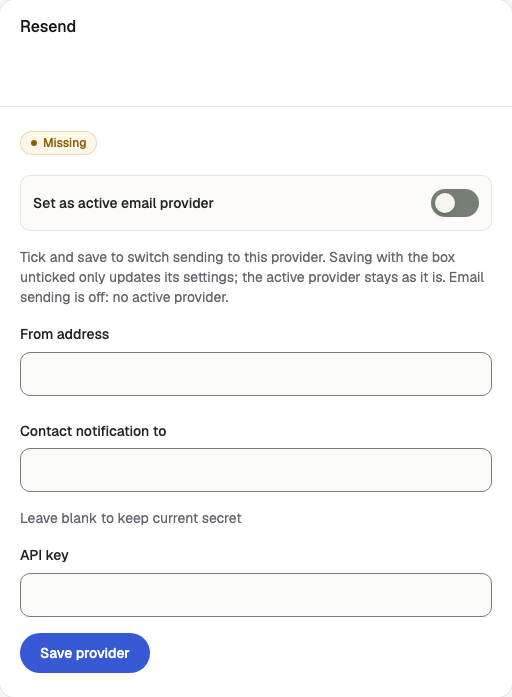
Open /admin/config/email in the Kernlift admin console.
| Value from provider | Admin field |
|---|---|
| Mailbox on the verified domain | From address |
Resend dashboard → API Keys (re_…). Sending access is enough. | API key |
Tick Set as active email provider and click Save provider.
Verify
- On
/admin/email/test, choose a template and send it to your own address. - Confirm delivery in your inbox and a
sententry on/admin/email/deliveries.
Troubleshooting
Deliveries show not_configured
The active provider is missing a credential, or email is off. Resend needs an API key; Cloudflare needs account ID and API token; Aliyun needs AccessKey ID, secret and sender account.