
OpenAI
Route text generation to OpenAI.
Before you begin
An account with access to the provider and permission to edit the settings below in Kernlift.
Expected result — a text model you can route to chat.
Set up OpenAI
Create a project key
Open OpenAI. Create a project key and store it securely.
Choose a model
Open the model list for that project and copy a model ID it can call.
Provider documentation · API platform
Configure the application
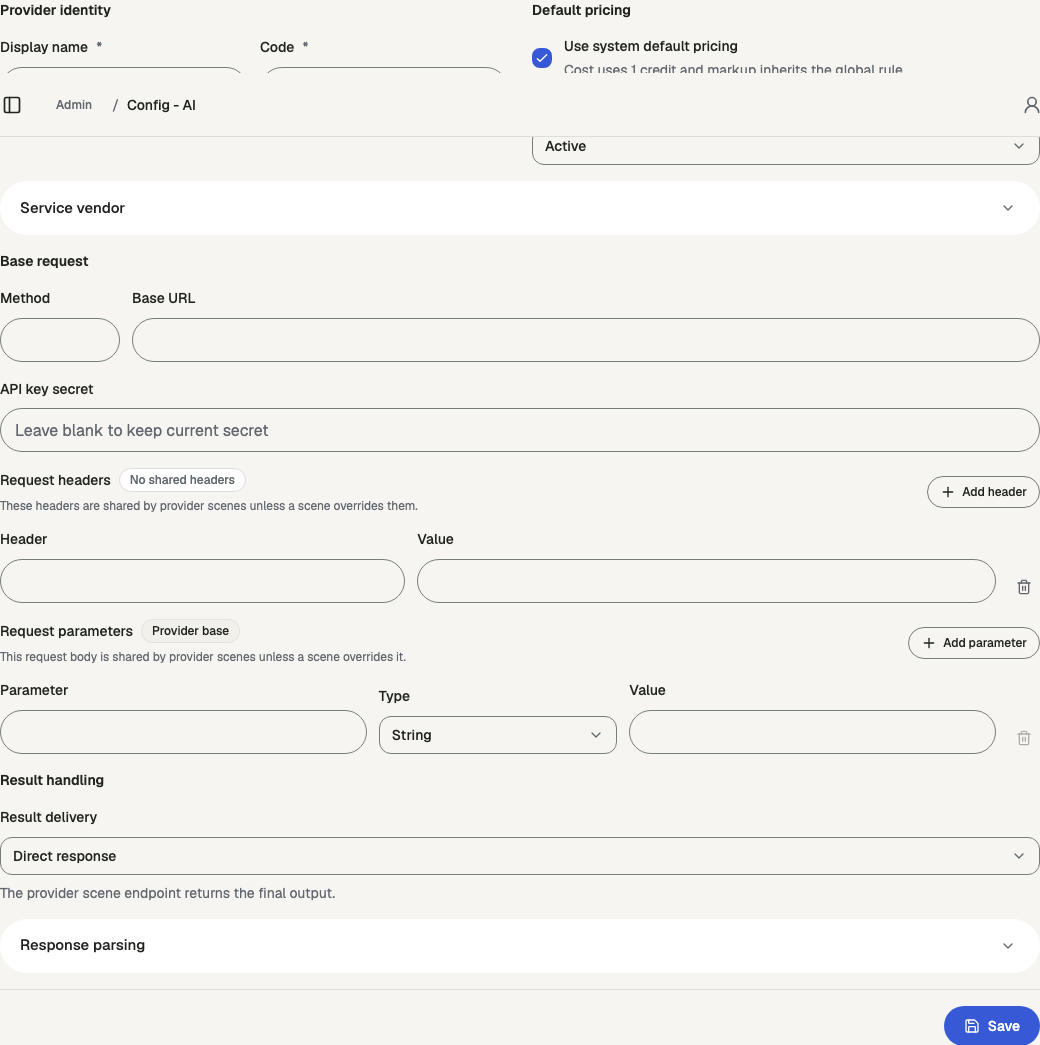
Open /admin/config/ai in the Kernlift admin console.
| Value from provider | Admin field |
|---|---|
| Project API key | API key secret |
| API endpoint | Base URL |
| Model ID | Model ID |
Add a provider scene for text, select OpenAI protocol, enter the model ID, configure its price, and save. Assign the ready model to the chat scene.
Verify
- Inspect Routing readiness for the model. Resolve any missing setting.
- Send a message through the assigned chat scene and confirm the model responds.
Troubleshooting
Chat fails with "Provider scene chat protocol is not configured"
The provider scene routed from the chat scene has no protocol or model ID. Set both on the provider scene.