
Cloudflare R2
Store uploaded files with Cloudflare R2.
Before you begin
An account with access to the provider and permission to edit the settings below in Kernlift.
Expected result — an uploaded file you can download again.
Set up Cloudflare R2
Create the R2 bucket
Open Cloudflare R2. Create an R2 bucket and record its name.
Workers with an R2 binding
On Workers, bind the bucket as BUCKET in wrangler.jsonc and deploy.
S3 access with a scoped token
For S3 access instead, create a bucket-scoped Object Read & Write token. Save the S3 credentials and account endpoint.
Provider documentation · R2 bucket and credential setup · token permissions
Configure the application
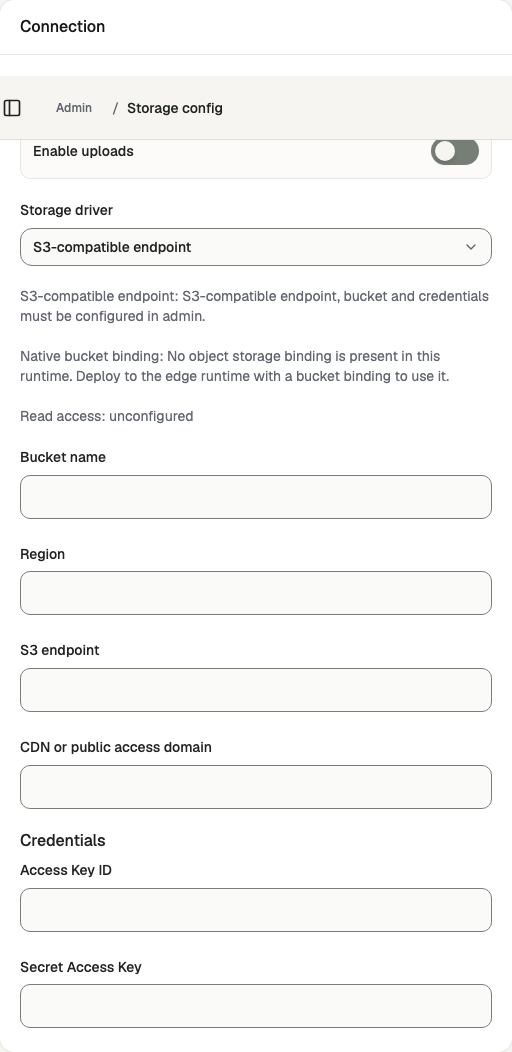
Open /admin/config/storage in the Kernlift admin console.
| Value from provider | Admin field |
|---|---|
| Bucket | Bucket name |
| S3 endpoint | S3 endpoint |
| Signing region | Region |
| Access Key ID | Access Key ID |
| Secret Access Key | Secret Access Key |
Enable uploads and select the S3 driver. For R2 over S3 use region auto. With a Worker binding, select Native bucket binding instead and skip the S3 fields. Save the configuration.
Verify
- Upload a small allowed file at
/app/assets/upload. - Download it from
/app/assetsand check the content.
Troubleshooting
S3 upload fails with "Storage upload failed (403)"
The error shows the provider's own code and message. Check the access key, secret and bucket name, and that Region matches what the endpoint expects for signing.