
Slack
Send team notifications to Slack.
Before you begin
An account with access to the provider and permission to edit the settings below in Kernlift.
Expected result — a test notification in the selected channel.
Set up Slack
Enable incoming webhooks
Open Slack. Create an app and enable Incoming Webhooks.
Choose the destination channel
Select Add New Webhook to Workspace and authorize the target channel. Copy its URL.
Provider documentation · Slack Incoming Webhooks
Configure the application
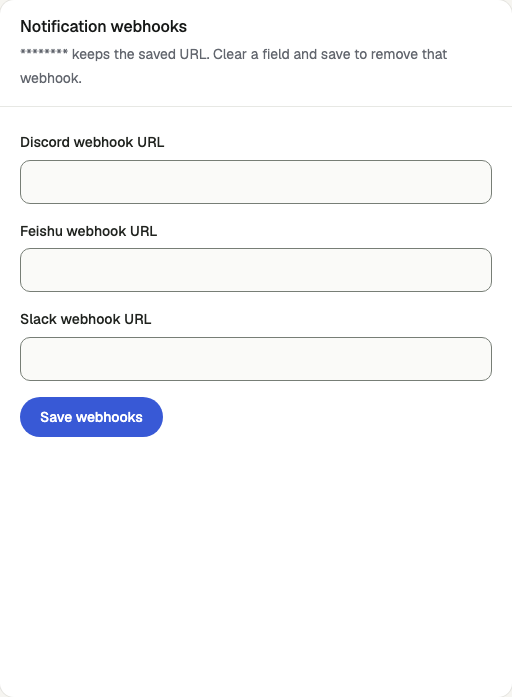
Open /admin/config/email in the Kernlift admin console.
| Value from provider | Admin field |
|---|---|
| Incoming webhook | Slack webhook URL |
Save the provider card, preserving the active mail provider setting.
Verify
- On
/admin/notificationsselectslack-alertsand send a test notification. - Confirm the message in the channel and the
sententry in Deliveries.
Troubleshooting
Deliveries show not_configured
The channel's webhook URL is empty. Save it on Email Config and send another test.