
GitHub
Let buyers sign in with GitHub.
Before you begin
Copy the full URL ending in /api/auth/callback/github from Callback URLs on /admin/config/auth. It must use the origin where users sign in.
Expected result — the provider’s sign-in button on your site.
Set up GitHub
Register an OAuth App
Open GitHub. Create a new OAuth App and enter the site homepage.
Set the callback URL
Paste the GitHub URL from Callback URLs into Authorization callback URL.
Generate the client secret
Generate a client secret and copy the Client ID from the same app.
Provider documentation · GitHub's OAuth app guide
Configure the application
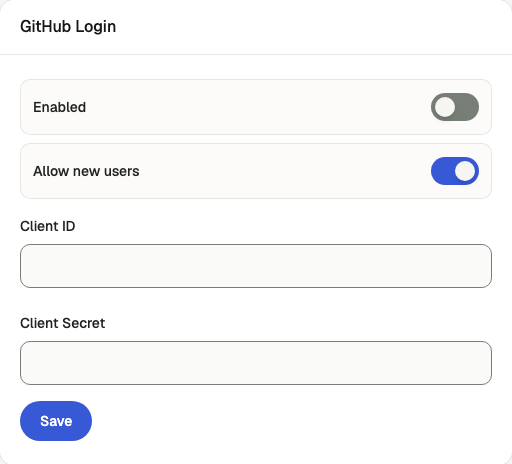
Open /admin/config/auth in the Kernlift admin console.
| Value from provider | Admin field |
|---|---|
| Client ID | Client ID |
| Client secret | Client Secret |
Enable this provider. To accept first-time users, enable Allow new users, then save.
Verify
- In a private window open
/auth/sign-inand choose GitHub. - Complete consent and verify the browser returns to the signed-in workspace.
Troubleshooting
The provider rejects the redirect
The callback URL registered with Google or GitHub does not match the one in the Callback URLs panel. Copy it again, including the scheme and domain.